



1.实验目的
- 理解电子邮件系统基本结构
- 理解客户端和服务器端,以及服务器之间的通信
- 分析理解SMTP,pop3协议
2.实验环境
- 硬件要求:阿里云云主机ECS 一台。
- 软件要求:Linux/ Windows 操作系统
3.实验内容
3.1 Nginx安装和部署
Nginx是一款轻量级的Web服务器/反向代理服务器及电子邮件(IMAP/POP3)代理服务器。
本实验要求安装和部署Web服务器Nginx,实现最基本的静态网页和动态网页访问。网页内容不限。
参考资料:
3.2 Apache安装和部署
Apache是最流行的Web服务器端软件之一。它快速、稳定。
本实验要求安装和部署web服务器Apache,实现最基本的静态网页和动态网页访问。网页内容不限。
参考资料:
https://blog.csdn.net/weixin_42709659/article/details/81938176
4.实验结果与分析
3.1 Nginx安装和部署
1. Nginx安装与部署
- 安装依赖包
openssl、zlib、pcre - 安装Nginx
tar -zxvf nginx-1.22.0.tar.gzcd nginx-1.22.0./configure --prefix=/usr/install/nginx --with-pcre=../pcre2-10.40 --with-zlib=../zlib-1.2.12 --with-openssl=../openssl-3.0.3make && make install运行结果显示安装完成

2. Nginx显示静态页面
可以正常进入Nginx配置首页
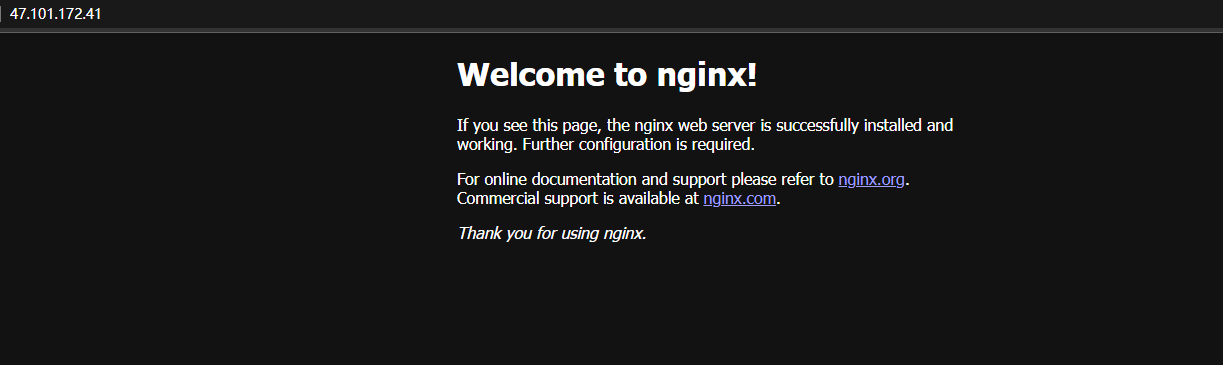
同时通过安装php并启用Nginx对php支持的配置实现Nginx对静态php网页的实现。
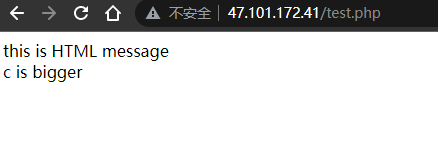
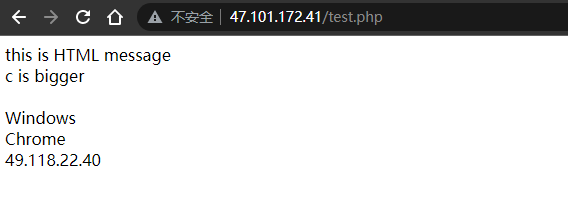
3. Nginx显示动态页面
通过php函数提取server访问的IP地址、系统、浏览器,并输出,从而实现网页的动态显示。

3.2 Apache安装和部署
1. Apache的安装与部署
通过yum安装apache并启动服务及开机启动。
yum groupinstall web* -ysystemctl restart httpdsystemctl enablehttpd安装完成

开放80端口和443端口

2. Apache显示静态网页
可以正常进入Apache默认首页
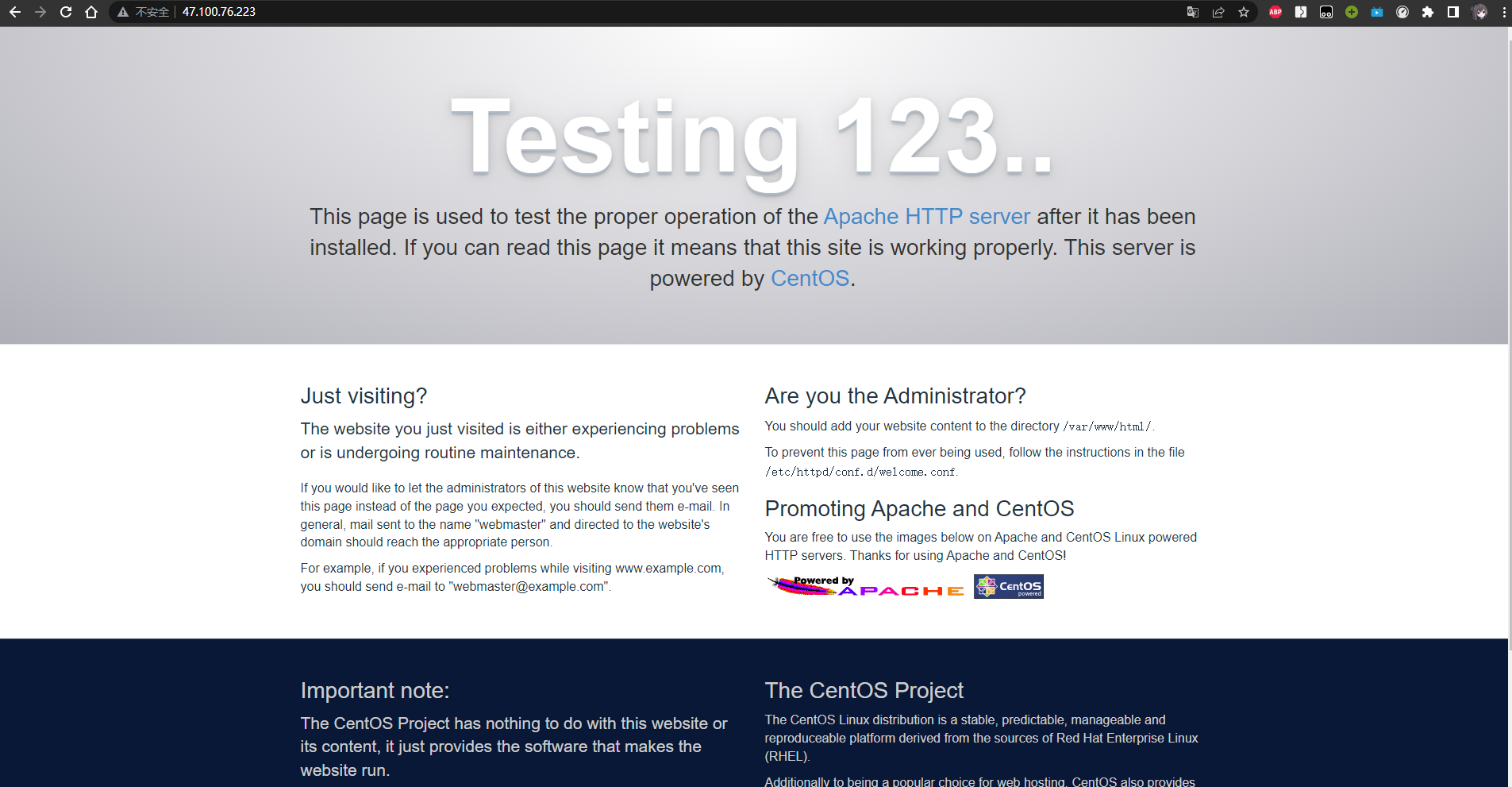
同时通过安装php并调整Apache配置文件实现Apache对静态php网页的实现。
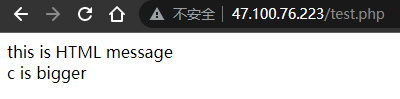
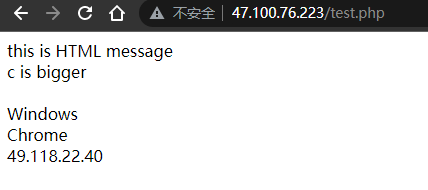
3. Apache显示动态页面
与Nginx类似,通过php函数提取server访问的IP地址、系统、浏览器,并输出,从而实现网页的动态显示。
5、实验小结
5.1 问题与解决办法
问题对依赖包进行编译安装时出现错误。解决方法此问题是由于未安装GCC,使用yum安装即可。yum -y install gcc问题运行nginx时找不到Nginx导致出错解决方法此问题是由于未未将Nginx地址定义为全局变量,设为全局变量后正常。vim /etc/profilesource /etc/profilenginx -s reload
5.2 心得体会
- 本次实验报告熟系了应用Nginx和Apache实现网页的部署,实现对课上知识的印证。通过这次实验,我掌握了Nginx和Apache使用中的具体流程,了解了常用Linux配置软件的基本用法,提高了自身编程能力。
- 通过这些常用的Linux命令操作,对Nginx和Apache的配置与使用,让我印证了上课所学的知识。
1. Objectives
- Understand the basic structure of email systems
- Understand clients and servers, and the communication between servers
- Analyze and understand the SMTP and POP3 protocols
2. Experimental Environment
- Hardware requirements: One Alibaba Cloud ECS instance.
- Software requirements: Linux/Windows operating system
3. Experimental Content
3.1 Nginx Installation and Deployment
Nginx is a lightweight web server/reverse proxy server and an email (IMAP/POP3) proxy server.
This experiment requires installing and deploying the Nginx web server to implement basic static and dynamic web page access. The page content is not restricted.
References:
3.2 Apache Installation and Deployment
Apache is one of the most popular web server software. It is fast and stable.
This experiment requires installing and deploying the Apache web server to realize basic static and dynamic webpage access. The page content is not restricted.
References:
https://blog.csdn.net/weixin_42709659/article/details/81938176
4. Experimental Results and Analysis
3.1 Nginx Installation and Deployment
1. Nginx Installation and Deployment
- Install dependencies:
openssl,zlib,pcre - Install Nginx
tar -zxvf nginx-1.22.0.tar.gzcd nginx-1.22.0./configure --prefix=/usr/install/nginx --with-pcre=../pcre2-10.40 --with-zlib=../zlib-1.2.12 --with-openssl=../openssl-3.0.3make && make installThe run result shows the installation is complete
2. Nginx Displays Static Page
The Nginx configuration homepage can be accessed normally
At the same time, by installing PHP and enabling Nginx’s PHP support configuration, Nginx serves static PHP pages.
3. Nginx Displays Dynamic Page
Using PHP functions to extract the IP address, operating system, and browser of the server requests and output them, thereby achieving dynamic page display.
3.2 Apache Installation and Deployment
1. Apache Installation and Deployment
Install Apache via yum and start the service and enable at boot.
yum groupinstall web* -ysystemctl restart httpdsystemctl enablehttpdInstallation completed
Open ports 80 and 443
2. Apache Displays Static Web Page
The Apache default homepage can be accessed normally
At the same time, by installing PHP and adjusting the Apache configuration file, Apache serves static PHP pages.
3. Apache Displays Dynamic Page
Similar to Nginx, by using PHP functions to extract the IP address, operating system, and browser of server access and output them, the webpage is displayed dynamically.
5. Experimental Summary
5.1 Problems and Solutions
Problems encountered when compiling and installing dependencies. The solution is that GCC was not installed; install it with yum -y install gcc. The issue of nginx not being found when running nginx is caused by not defining the Nginx address as a global variable; after setting it as a global variable, it works normally. vim /etc/profilesource /etc/profilenginx -s reload
5.2 Learnings and Reflections
- This lab report familiarized with applying Nginx and Apache to deploy webpages, validating the knowledge learned in class. Through this experiment, I mastered the specific workflow for using Nginx and Apache, understood the basic usage of common Linux configuration software, and improved my programming ability.
- Through these common Linux command operations, the configuration and use of Nginx and Apache confirmed what was learned in class.
1. 実験目的
- 電子メールシステムの基本構造を理解する
- クライアントとサーバー側、そしてサーバー間の通信を理解する
- SMTP、POP3プロトコルを分析・理解する
2. 実験環境
- ハードウェア要件:阿里雲クラウドホストECS 1台。
- ソフトウェア要件:Linux / Windows オペレーティングシステム
3. 実験内容
3.1 Nginxのインストールとデプロイ
Nginxは、軽量なWebサーバー/リバースプロキシサーバーおよびメール(IMAP/POP3)プロキシサーバーです。
本実験では、WebサーバーNginxをインストール・デプロイし、最も基本的な静的ウェブページと動的ウェブページのアクセスを実現します。ページ内容は制限なし。
参考資料:
3.2 Apacheのインストールとデプロイ
Apacheは最も人気のあるWebサーバーソフトウェアの1つです。高速で安定しています。
本実験では、WebサーバーApacheをインストール・デプロイし、最も基本的な静的ウェブページと動的ウェブページのアクセスを実現します。ページ内容は制限なし。
参考資料:
https://blog.csdn.net/weixin_42709659/article/details/81938176
4. 実験結果と分析
1. Nginxのインストールとデプロイ
-
Nginxのインストールとデプロイ
-
依存パッケージ
openssl、zlib、pcreをインストール -
Nginxをインストール
tar -zxvf nginx-1.22.0.tar.gzcd nginx-1.22.0./configure --prefix=/usr/install/nginx --with-pcre=../pcre2-10.40 --with-zlib=../zlib-1.2.12 --with-openssl=../openssl-3.0.3make && make install実行結果はインストール完了を示しています
2. Nginxが静的ページを表示
Nginx設定のトップページへ正常にアクセスできます。
同時にPHPをインストールし、NginxのPHPサポートを有効にする設定を通じて、Nginxが静的PHPページを表示できるようにします。
3. Nginxが動的ページを表示
PHP関数を使用してサーバーへのアクセス元のIPアドレス、OS、ブラウザを抽出・表示し、ウェブページの動的表示を実現します。
2. Apacheのインストールとデプロイ
1. Apacheのインストールとデプロイ
Yumを用いてApacheをインストールし、サービス起動および起動時自動起動を設定します。
yum groupinstall web* -ysystemctl restart httpdsystemctl enablehttpdインストール完了
80番ポートと443番ポートを開放
2. Apacheが静的ページを表示
Apacheのデフォルトトップページへ正常にアクセスできます
同時にPHPをインストールし、Apacheの設定ファイルを調整することで、静的PHPウェブページの表示を実現します。
3. Apacheが動的ページを表示
Nginxと同様に、PHP関数を用いてサーバーへのアクセス元のIPアドレス・OS・ブラウザを抽出・表示し、ウェブページの動的表示を実現します。
5. 実験のまとめ
5.1 問題と解決策
依存パッケージのビルド・インストール時にエラーが発生しました。原因はGCCが未インストールであったためで、yum -y install gccで解決します。 nginxを実行するとNginxが見つからないエラーが出る場合の原因は、Nginxのアドレスをグローバル変数として定義していなかったためで、グローバル変数として設定すれば正常に動作します。vim /etc/profile; source /etc/profile; nginx -s reload
5.2 感想と得たもの
- 本実験レポートは、NginxとApacheを用いたウェブページのデプロイの運用に熟練し、授業での知識を裏付けることができました。今回の実験を通じて、NginxとApacheの使用手順を具体的に習得し、一般的なLinux設定ソフトウェアの基本的な使い方を理解し、技術力を向上させました。
- これらの一般的なLinuxコマンド操作を通じて、NginxとApacheの設定と使用を実践し、授業で学んだ知識を再確認できました。
部分信息可能已经过时